
Your internet connection is the invisible thread that holds your digital life together.
The Connectivity Challenge
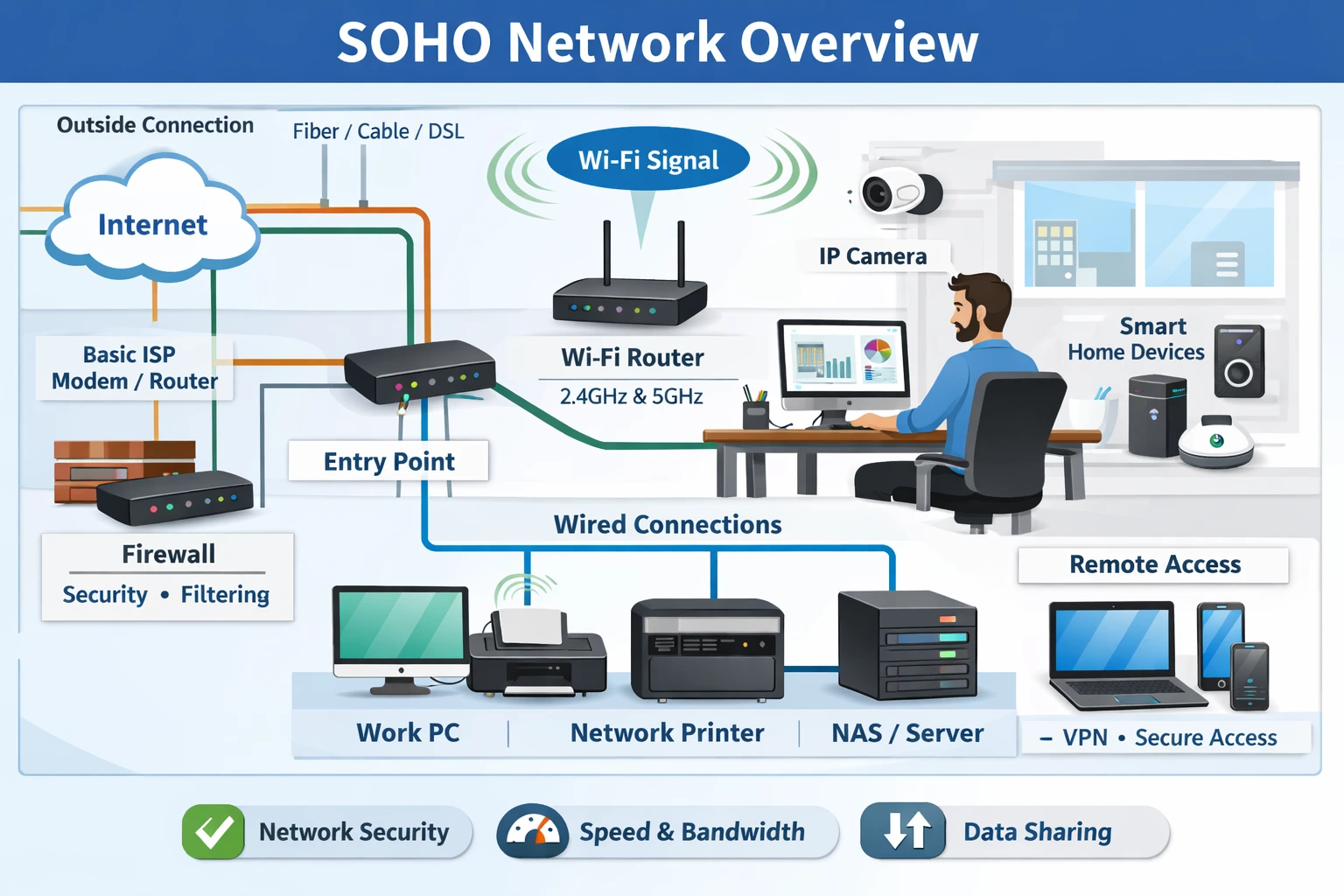
As SOHO environments expand to support cloud applications, video conferencing, smart devices, and remote work, the weaknesses of basic ISP routers become a serious liability. A professionally designed SOHO network applies clear logic to performance, security, and reliability—ensuring every device, application, and user operates seamlessly. Built on sound logic, your network becomes a strategic foundation that quietly supports productivity, growth, and long-term stability.
1. Professional SOHO Network
If you are ready to upgrade from basic connectivity to a network built on logic, explore the carefully selected SOHO-grade routers and networking solutions suggested below. These are the same tools professionals rely on to deliver reliable, secure, and future-ready performance—without unnecessary complexity.
2. The Backbone: The “Stationary” Rule
One time tested way to improve connectivity is a wired alternative
- Our Logic: If a device doesn’t move (Desktop, NAS, Game Console), it should be physically plugged in. Every device you move to a wire frees up “airspace” for your mobile devices.
- Install a Gigabit Unmanaged Switch at your desk.
- [Examples of to 5 or 8-port Gigabit Switch]
3. The Shield: Power and Failover Strategy
Professional-grade logic means planning for failure.
Our Logic: Internet outages are usually caused by two things: local power flickers or ISP line maintenance.
1. Mini-UPS: Keep your modem and router alive during power dips.
2. Cellular Failover: A router that can “bridge” to your phone’s hotspot automatically.
[Link to Mini-UPS for Routers]
4. The “Logic” Comparison
| Feature | The “Consumer” Mess | The TechPulse Logic Setup |
| Video Calls | Frequent “Unstable” alerts | Zero-lag prioritized traffic |
| Dead Zones | “I have to work in the kitchen” | Seamless roaming in every room |
| Security | Shared password, basic firewall | Isolated “Work” and “IoT” networks |
| Reliability | “Is the internet down again?” | Triple-redundancy (Wired + UPS) |
The Verdict
A professional network isn’t an expense; it’s an insurance policy for your productivity. By logically optimising and fine-tuning, you ensure that your connectivity is never the bottleneck for your daily chores that require quality network connections.
Summary of The Essentials for Peace of Mind
- Ideal Setup: A Mesh Wi-Fi system to eliminate dead zones. More Here (+)
- The Anchor: A simple Ethernet switch for your most important devices.
- A Safety Net: A small UPS to keep you online during power flickers.
View current pricing and availability here →