A Practical Infrastructure Upgrade for Reliable Home and Office Wi-Fi
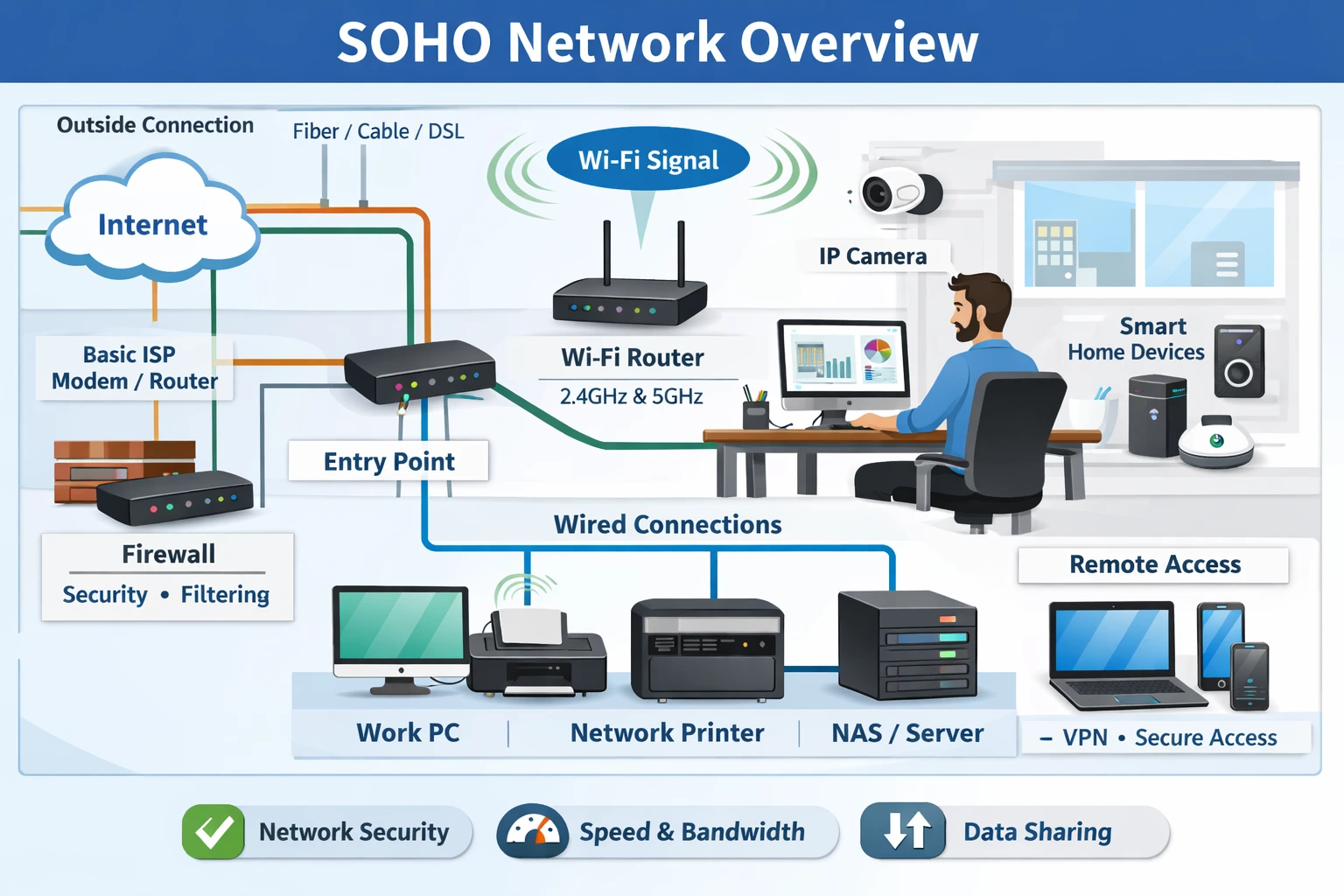
Tired of Wi-Fi dead zones, slow speeds, and random signal drops in your home office? If your work depends on stable connectivity—video calls, cloud access, file sync, remote desktops—your network is infrastructure, not a convenience. Yet most homes still rely on ISP-supplied routers that were never designed for sustained performance, device density, or reliability.
In 2026, upgrading to a dedicated router with wired backhaul is one of the highest-return improvements you can make to your digital workspace. It eliminates instability at the source, not the symptoms.
This guide explains the logic behind the upgrade, bridges the gap between basic setups and reliable high-speed connectivity, and recommends systems that deliver predictable results.
1. The Real Issue: ISP Routers Are a Design Compromise
ISP routers are optimised for one goal: cost efficiency at scale. Performance, configurability, and longevity are secondary hence a bottleneck.
In practice, this means:
- Underpowered processors that struggle under load
- Single-radio designs handling too many devices
- No meaningful traffic prioritization
- Infrequent security updates
- Limited coverage beyond small apartments
As soon as you add multiple laptops, phones, TVs, cameras, and IoT devices, the router becomes saturated. The result is random latency spikes, dropped calls, and inconsistent speeds—issues often misdiagnosed as “bad internet”.
Independent testing consistently shows 20–30% real-world speed improvement simply by replacing the router, without changing the internet plan.
2. The Infrastructure Advantage – A Dedicated Router + Wired Backhaul
Professionally designed networks follow a simple principle: Control traffic at the core, distribute access at the edge.
A. Dedicated Router Hardware(The Brain).
It handles connections to wireless devices plus:
- MU-MIMO + Beamforming: simultaneous device handling without congestion
- Wi-Fi 6E / Wi-Fi 7 readiness: cleaner spectrum, higher throughput speeds
- Advanced security: VPNs, intrusion detection, automatic updates
- Traffic intelligence: QoS for work, calls, streaming, and backups
- Scalable coverage: add nodes without performance loss
Dedicated routers offer powerful hardware with with MU-MIMO (multi-user, multiple-input, multiple-output) and beamforming to handle many devices seamlessly, future-proof Wi-Fi 6E/& support, enhanced security like VPNs, AI threat detection, and auto updates.
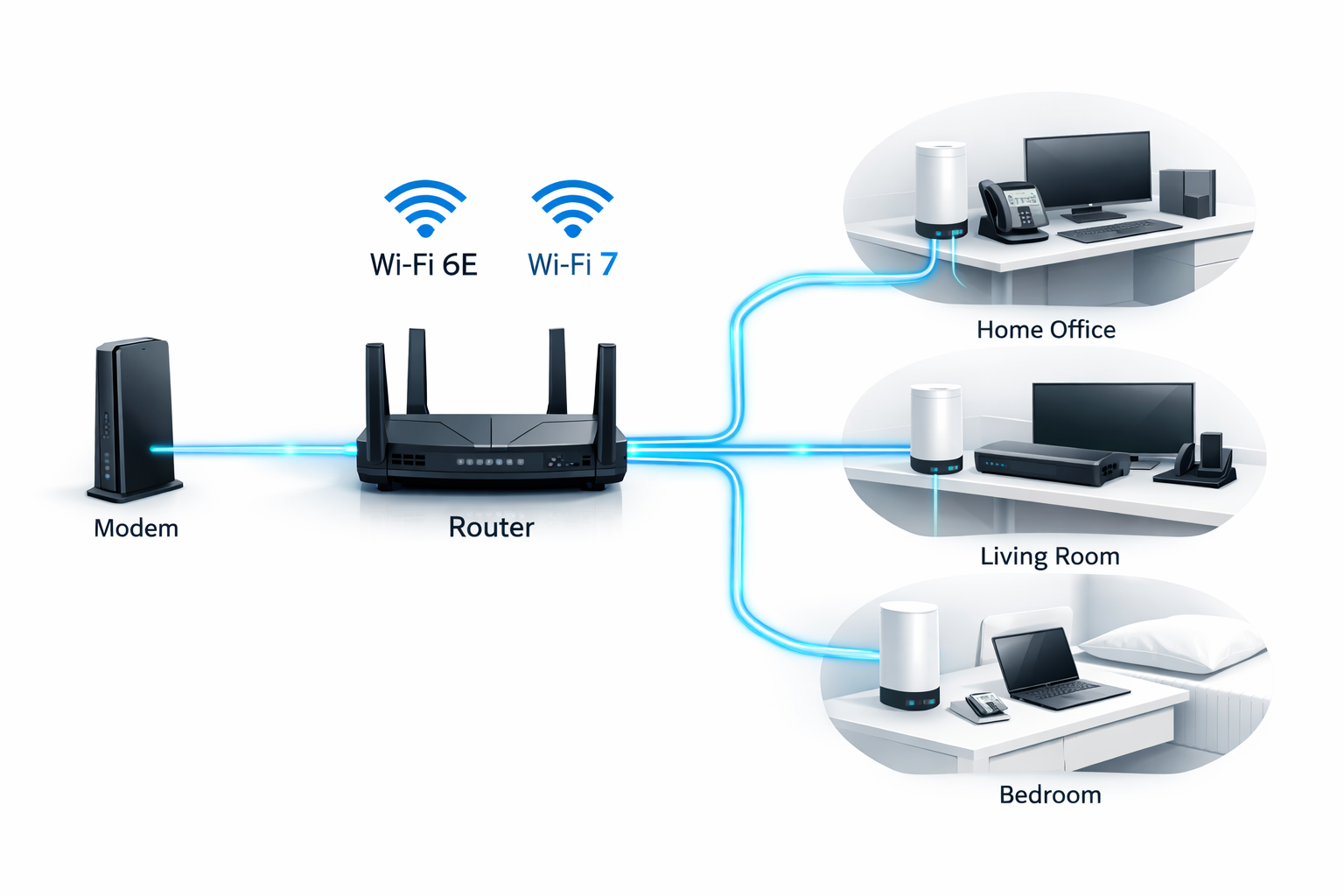
Pair them with wired backhaul – Ethernet cable connected mesh nodes to achieve full speed stability without wireless interference or speed loss bottlenecks.
B. Wired Backhaul (The Backbone)
Mesh nodes connected via Ethernet rather than Wi-Fi:
- No wireless bandwidth loss between nodes
- No wireless interference
- Consistent latency in every room
- Full-speed performance on every floor, no 30-50% loss
This design is why offices, hotels, and campuses never rely on wireless-only mesh. The same logic applies at home.
Setting up wired backhaul mesh is simple:
- Connect your modem to the main dedicated router.
- Run Cat6 Ethernet cables to the distributed (satellites or nodes) access points .
- Configure for seamless roaming—devices switch automatically.
3. Some Dedicated Routers with Wired Backhaul (2026 Comparison)
- Netgear Orbi Pro (Wi-Fi 6): Tri-band system with dedicated backhaul channels and Ethernet ports for wired setups.
- TP-Link Deco XE75 Pro (Wi-Fi 6E): Affordable mesh system with wired backhaul options, AI optimisation and built in anti-virus.
- Ubiquiti UniFi Dream Machine Pro: Modular system for professionals, enterprise level speeds, with 10G ports and full wired backhaul support.
| System | Best For | Coverage | Strengths | Limitations |
|---|---|---|---|---|
| Netgear Orbi Pro (Wi-Fi 6) | Large homes, families | ~7,500 sq ft 100+ Max Devices | Excellent stability, simple app, parental controls | Premium price |
| TP-Link Deco XE75 Pro (Wi-Fi 6E) | Home offices, value buyers | ~7,200 sq ft 200+ Max Devices | Best price-performance, 6E support, AI security | App is basic |
| Ubiquiti UniFi Dream Machine Pro | Power users, prosumers | Unlimited (modular) Enterprise Level | Enterprise-grade control, 10G ports, smart home integration | Learning curve |
NOTE: For access point (AP) nodes or satellite devices, consider opting for a bundled package tailored to your specific needs.
4. Recommendation
For most users, start with the TP-Link Deco XE75 Pro for its affordability and strong performance in average homes. If you need extensive coverage, go for the Netgear Orbi Pro. Tech enthusiasts should opt for the Ubiquiti UniFi Dream Machine Pro for deep customization.
Buyer Links:
- Netgear on Amazon
- TP-Link on Amazon,
- Ubiquiti on Amazon.
Important Design Reminder: The router is the brain, but access points are the reach. Always include enough mesh nodes or APs at the distribution layer, ideally connected by Ethernet, to ensure full-speed Wi-Fi in every room.
As you plan and buy, confirm you have:
- Settled on the dedicated router (core layer)
- Ethernet runs for backhaul (if possible)
- Enough access points / satellites for full coverage
- One AP per floor or 2–3 rooms (rule of thumb)
- Power outlets
Consumer Mesh Systems are often sold in packs of 2 or 3. Examples:
- Netgear Orbi mesh nodes — reliable satellites to extend Wi-Fi coverage.
- Eero Pro 6E mesh units — simple and reliable mesh nodes with Wi-Fi 6E support.
- TP-Link Deco mesh nodes — expandable network with indoor/outdoor options.
- Ubiquiti UniFi access points — enterprise-grade APs for wired backhaul and broader control.
5. Conclusion
Upgrading to a dedicated router with wired backhaul is essential for eliminating ISP bottlenecks and achieving faster, more reliable home Wi-Fi in 2026. It’s a worthwhile investment for productivity—reducing issues by up to 90% in tests. What’s your setup?